Nie jesteś zalogowany
Aby się zalogować [Kliknij Tutaj] lub skorzystaj z
formularza po lewej stronie w bloku TWOJE MENU
Aby założyć konto [Kliknij Tutaj]


★★★ Premiery ★★★
MENU

Kategorie

Weryfikacja pobierania

Osiągnięto dzienny limit pobrań. Aby kontynuować, potwierdź, że nie jesteś botem.

Po poprawnej weryfikacji pobieranie rozpocznie się automatycznie, a to okno możesz zamknąć.

Odpowiadasz na komentarz:
WinNc 11.5 Multilingual + Crack[Repackmaster]
Dodał: OnyHash
Data: 03-04-2026 15:15:48
Rozmiar: 36.24 MB
Seedów: 6
Peerów: 0
Kondycja:
Zaloguj się aby pobrać


Kategoria: Windows
Zaakceptował: Nie wymagał akceptacji
[?] Pokazuje ile razy plik torrent był pobrany z naszego portalu Liczba pobrań: 18
[?] Pokazuje ilość komentarzy wystawionych na naszym portalu Liczba komentarzy: 0
Ostatnia aktualizacja: 03-04-2026 18:13:38

OPIS:


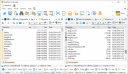
WinNc, a tabbed file manager like Norton Commander. WinNc is still downwards compatible with Windows 8 and 7 and uses the modern Windows 10 flat interface. This NC clone file manager is inspired on the dual panel idea of the old file manager Norton Commander. It has shortcuts to all the Windows 10 special folders and the tabbed interface allows you to organize your data by project. Projects can include virtual links to files and folders from all over the disk that are related to that project tab.

With a new Windows 10 flat interface WinNc can do all the basic tasks you expect from a file manager like copy, move, delete, compress, uncompress and create links. But WinNc also converts audio, burns files on DVD and cd, creates iso files and you are able to synchronize your files. From zip files, it allows the creation of self extraction .exe files.

Filemanager actions
Fileactions in filemanager WinNcWinNc uses logical colors for the file actions so you can see if a file is being copied (Green), being moved (Orange) or being packed (Yellow). WinNc allows you to perform multiple tasks by setting the maximum parallel tasks to more than one task. Otherwise WinNc will wait to start the new action until the previous action has finished. There is a built-in file viewer supporting all the popular formats. It has a built in slideshow viewer, an audio player and a video player for quickly browsing through your media.

Quick Access makes file management easier
WinNc will keep track of folders wherquick-access-icone you have worked in the past. You can quickly access those folders by clicking on the Quick Access icon or by pressing the spacebar. Then in the Quick Access box, start to type the location of interest, like ‘windows’ or ‘download’ or ‘projectfolder’. It will show a list of matching folders ordered by match rank. Furthermore, you can make frequently used folders favorite by pressing the blue star and you can also add more tags (search words) to the actual folder.

DETALE TORRENTA: [ Pokaż/Ukryj ]

Podobne pliki
Nie znaleziono podobnych tytułów!

Komentarze
Aby móc komentować musisz się zalogować