http://i57.fastpic.ru/big/2014/0416/f2/9bd43f9dfc97aff7631e63c7e30a6df2.gif
http://i.imgur.com/odwfVji.gif

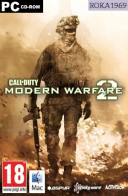
Tytuł: Call of Duty®: Modern Warfare® II
Gatunek: Akcja
Producent: Infinity Ward, Raven Software, Beenox, Treyarch, High Moon Studios, Sledgehammer Games, Activision Shanghai, Demonware, Toys for Bob
Wydawca: Activision
Seria: Call of Duty, Modern Warfare
Data wydania: 28 października 2022
Język: Angielski Rosyjski
Wersja: v9.7 (SP) v9.40 (MP)
Tabletka: (.r4v3n + Goldberg alex47exe fork)
https://store.steampowered.com/app/1962660/Call_of_Duty_Modern_Warfare_II/

Witaj w nowej erze Call of Duty®.
W Call of Duty®: Modern Warfare® II kultowi Operatorzy z grupy uderzeniowej 141 powracają, a gracze trafiają w sam środek globalnego konfliktu o niespotykanej dotąd skali. Walcz ramię w ramię ze znajomymi i weź udział we wciągających manewrach taktycznych i ściśle tajnych misjach najwyższej wagi.
Infinity Ward zapewnia graczom produkt najwyższej klasy z całkiem nowym sposobem posługiwania się bronią, zaawansowanym systemem SI, nowym rusznikarzem oraz innowacyjną rozgrywką i grafiką, które przenoszą grę na zupełnie inny poziom.
W dniu premiery Modern Warfare® II oferuje kampanię dla jednego gracza, rozgrywającą się w różnych częściach świata, wciągające starcia Wieloosobowe i Operacje Specjalne - fabularny tryb kooperacyjny.
Zyskujesz też dostęp do Call of Duty®: Warzone™, całkiem nowej gry typu Battle Royale.
*********************************************
F.A.Q. od .r4v3n:
Instructions:
- Firstly, make sure the path on where you put the game folder is short and doesn't contain non latin characters or symbols to avoid issues with game launching.
- Extract everything in this archive into where you installed the game.
- Start the game ONLY FROM !start_cod22.bat (for MP) or !start_sp22.bat (for SP) and keep the console window open until it closes by itself when you close the game.
- If running either *.bat doesn't do anything, read the 1st step again (or check bootstrapper.log).
Default Hotkeys (Set your keyboard to US if you encounter issues) :
- Cbuf: Right Control + / (press this hotkey in the external console window)
- Noclip: Right Control + N
- God Mode: Right Control + M
To set a different keybind for each hotkeys, modify the "virtual key codes" values in _profile.ini. The decimal values for each keyboard keys can be found in many places on the internet (search query: virtual key codes).
===============================
Campaign, Multiplayer (only with bots), and Coop are playable offline (with some minor issues, check side notes below) with everything unlocked (weapons, operators, customizations, etc). LAN is currently not working, only offline play with bots for now (so don't bother asking about LAN).
To start coop lobbies, follow these steps:
- While in the main menu, execute 'opencoop' in cbuf
- Create systemlink lobby like you would normally do in MP
- Choose any gamemode in the GameModes screen (doesn't matter which one as this is not important)
- When in the lobby, execute 'xstartlobby' in cbuf then you can set up the maps and start the match
Steam notes:
This release uses a fork of GSE by alex47exe (originally created by Mr_Goldberg) for the steam emulator. You can change playername and language by editing steam_settings/configs.user.ini but make sure that you have installed the appropriate language files first.
Side notes:
- If for some reason you got the stats all messed up, execute 'resetstats' in cbuf to reset your stats (or delete the "_stats" folder)
- Campaign missions can be unlocked all at once by enabling 'UnlockAllMissions' in sp22/_profile.ini
- Some br and coop maps has collision issues like in IW8, so keep that in mind.
- In one of the coop mission called "Denied Area", you'll spawn under the ground so make sure to quickly toggle noclip to get back up to the ground.
- Raid coop missions are meant to be played by 3 players, so some sequences might not work correctly. To skip these sequences, enter pause menu and choose "JUMP TO START" to skip past the broken sequence.
- If you're stuck on "Launching..." screen after starting the game, simply press Esc.
- DMZ is also playable offline...
Huge thanks to purrplee for providing me with essential resources!
.r4v3n
Uploaded by ROKA1969
Konfiguracja minimalna:
Wymaga 64-bitowego procesora i systemu operacyjnego
System operacyjny: Windows® 10 64-bit (z najnowszą aktualizacją)
Procesor: Intel® Core™ i3-6100 / Core™ i5-2500K lub AMD Ryzen™ 3 1200
Pamięć: 8 GB RAM
Karta graficzna: NVIDIA® GeForce® GTX 960 lub AMD Radeon™ RX 470 - kompatybilne z DirectX 12.0
DirectX: Wersja 12
Sieć: Szerokopasmowe połączenie internetowe
Miejsce na dysku: 82.9 GB dostępnej przestrzeni
Konfiguracja zalecana:
Wymaga 64-bitowego procesora i systemu operacyjnego
System operacyjny: Windows® 10 64-bit (z najnowszą aktualizacją) lub Windows® 11 64-bit (z najnowszą aktualizacją)
Procesor: Intel® Core™ i5-6600K / Core™ i7-4770 lub AMD Ryzen™ 5 1400
Pamięć: 8 GB RAM
Karta graficzna: NVIDIA® GeForce® GTX 1060 lub AMD Radeon™ RX 580 - kompatybilne z DirectX 12.0 lub Intel® Arc™ A770
DirectX: Wersja 12
Sieć: Szerokopasmowe połączenie internetowe
Miejsce na dysku: 82.9 GB dostępnej przestrzeni
Uruchom plik !start_cod22.bat (aby uruchomić tryb wieloosobowy)
Uruchom plik !start_sp22.bat (aby uruchomić kampanię)
Graj
Zmiana języka: ...\sp22\steam_settings w pliku configs.user.ini
...\steam_settings w pliku configs.user.ini
Uploader Notes:
Jeśli instalujesz gry na partycji systemowej, może być konieczne aby uruchomić tę grę z uprawnieniami administratora
W przypadku braku bibliotek.dll pobierz je z internetu i wklej do folderu z grą!
Lub pobierz i zainstaluj System Software: https://drive.google.com/u/0/uc?export=download&confirm=QTEc&id=16IuBE-zMZp7KdlJQ6XVYOeM875FNkazR
Jeśli uważasz że gra ci się spodobała wesprzyj programistów i kup tę grę!
Orginalna kategoria:Gry PC » Akcja
[ Pokaż/Ukryj ]
Podgląd zawartości dostępny jest tylko dla zalogowanych użytkowników.
|


















![Call of the Elder Gods [v0.0.0.279+DLC] *2026* [MULTI-PL] [PORTABLE] [EXE] [ToAlien]](imgtorrent/166b438344b15ecc9d5520de8b248c8cdd8dcba2_1784374858.jpg "Call of the Elder Gods [v0.0.0.279+DLC] *2026* [MULTI-PL] [PORTABLE] [EXE] [ToAlien]")
![theHunter: Call of the Wild [v3263984+DLC] *2017* [MULTi9-PL] [PORTABLE] [EXE] [ToAlien]](imgtorrent/9b79982cdd7565e235fb8ebb00ffa7fbd1dcac93_1781750529.jpg "theHunter: Call of the Wild [v3263984+DLC] *2017* [MULTi9-PL] [PORTABLE] [EXE] [ToAlien]")
![Call of Duty: Black Ops II *2012* [v1.0] [MULTI-ENG] [EXE]](imgtorrent/58f6922dd17124100eea7dbc1d037a107788cebe_1781615637.jpg "Call of Duty: Black Ops II *2012* [v1.0] [MULTI-ENG] [EXE]")
![Call of Duty 2 (v.1.3) - ElAmigos *2005* [PL] [rar/iso] [ToAlien]](imgtorrent/b953d816ff263e73e29f2871a31785c36d883bb4_1781401710.jpg "Call of Duty 2 (v.1.3) - ElAmigos *2005* [PL] [rar/iso] [ToAlien]")
![Call of Duty + Call of Duty: United Offensive. Deluxe Edition (v.1.51) - ElAmigos *2003* [PL] [rar/iso] [ToAlien]](imgtorrent/247b8deae1161e47a68ecd59ec3475211dac9687_1781216785.jpg "Call of Duty + Call of Duty: United Offensive. Deluxe Edition (v.1.51) - ElAmigos *2003* [PL] [rar/iso] [ToAlien]")
![Call of Duty Soundtracks (2003-2017) [FLAC] lossless](imgtorrent/ab62eca25e1d0912ba5c82b037192ec5d326ff03_1779451049.jpg "Call of Duty Soundtracks (2003-2017) [FLAC] lossless")
![Call Of Duty Collector's Edition [v1.5/1.51/1.3] *2003-2005* [ENG-PL] [REPACK R69] [EXE]](imgtorrent/51821e15f7b93b52aa118ac49340f659d3dbfbe5_1778750354.jpg "Call Of Duty Collector's Edition [v1.5/1.51/1.3] *2003-2005* [ENG-PL] [REPACK R69] [EXE]")
![Call of the Elder Gods [Build 23095004] *2026* [MULTI-PL] [RUNE] [ISO]](imgtorrent/41db96cb60168340ee754335a752aec3a8a858f4_1778627501.jpg "Call of the Elder Gods [Build 23095004] *2026* [MULTI-PL] [RUNE] [ISO]")