| Nie jesteś zalogowany | ||||
| Aby się zalogować
[Kliknij Tutaj]
lub skorzystaj z formularza po lewej stronie w bloku TWOJE MENU Aby założyć konto [Kliknij Tutaj] |
||||






























|
Odpowiadasz na komentarz:
| |||||||||||||||

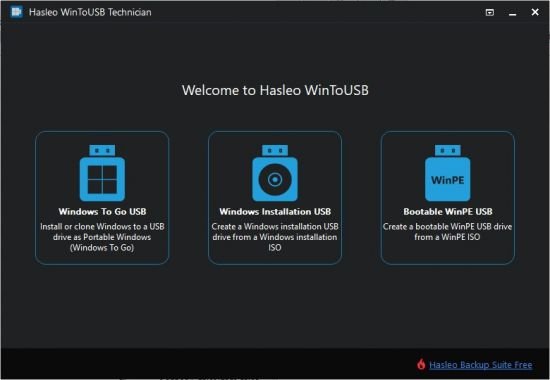
![WinToUSB Technician (v.10.5) by elchupacabra *2026* [PL] [exe]](imgtorrent/a6d5e4374673ecbe2cf9230d7886108117f7734a_1769399631.png "WinToUSB Technician (v.10.5) by elchupacabra *2026* [PL] [exe]")
![WinToUSB Technician (v.10.4) by elchupacabra *2025* [PL] [exe]](imgtorrent/97ce42220d1209f4e2b299327ea2e8ed9bb83a1f_1766241245.png "WinToUSB Technician (v.10.4) by elchupacabra *2025* [PL] [exe]")
![WinToUSB Technician (v.9.9) by elchupacabra *2025* [PL] [exe]](imgtorrent/674af6954ee0368ea56857d70b8748c2b021ced5_1749460051.png "WinToUSB Technician (v.9.9) by elchupacabra *2025* [PL] [exe]")
![WinToUSB Technician (v.9.8) by elchupacabra *2025* [PL] [exe]](imgtorrent/aa119aaee00b1a2e2b4c6bfd9a2c3e3cc4020d0e_1746102355.png "WinToUSB Technician (v.9.8) by elchupacabra *2025* [PL] [exe]")
![WinToUSB Technician (v.9.5) by elchupacabra *2025* [PL] [exe]](./imgtorrent/d1bb5d1d6493a5198a92bef2dea99fad8377a449-polskie-torrenty.jpg "WinToUSB Technician (v.9.5) by elchupacabra *2025* [PL] [exe]")
![WinToUSB Technician (v.9.4) by elchupacabra *2024* [PL] [exe]](./imgtorrent/9f3977746c79b97c90df19ee91dfe0341a8b5c60-polskie-torrenty.jpg "WinToUSB Technician (v.9.4) by elchupacabra *2024* [PL] [exe]")
![WinToUSB Technician (v9 0) by elchupacabra *2024* [ENG] [exe]](https://nnmstatic.win/forum/image.php?link=https://i120.fastpic.org/big/2022/1010/6f/8ffe80312e0206d9377e38828f2d496f.webp "WinToUSB Technician (v9 0) by elchupacabra *2024* [ENG] [exe]")
![WinToUSB Technician (v8 9 1) by elchupacabra *2024* [ENG] [exe]](https://polskie-torrenty.eu/imgtorrent/xx01c84cd6fabf49f374a4b2e37eabc02b83cb0580-polskie-torrenty.jpg,Mic.VyMW4wvfn0.webp.pagespeed.ic.EeSxC_5Y-X.webp "WinToUSB Technician (v8 9 1) by elchupacabra *2024* [ENG] [exe]")