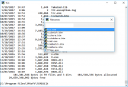
Take Command is a comprehensive interactive GUI and Windows command line toolkit that makes your Windows command prompts easier to use and far more powerful. Take Command includes optional Windows Explorer integration, tabbed console windows, and major enhancements to standard Windows CMD commands such as COPY, DEL, FOR, MOVE, REN, SET, and START And it and adds 210+ new commands, command dialogs, command line syntax coloring, vastly improved command line editing, programmable filename and directory completion, and thousands of other features.
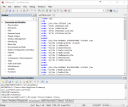
Take Command is also a powerful batch file programming tool, including an integrated IDE with a sophisticated editor and batch debugger. Take Command offers extensions such as DO loops, SWITCH statements, error and exception handling, system monitoring and event triggers, third-party plugins, and more than 700 built-in variables and functions.
The Windows "Command Prompt" shortcut is a Windows console (command line, or character mode) session that runs the default command processor CMD (also called the "Windows command shell"). The command prompt is essential for developers, systems administrators and advanced users. Unfortunately, CMD commands and the Windows console UI have always been woefully lacking in ability compared to what is available in most other operating systems. Because of the limitations in the Windows command prompt, users have been forced to use the GUI for inappropriate tasks, or even to write custom programs to perform simple tasks that CMD should have been able to handle.
Are you frustrated with the limitations of the CMD command line and batch scripting? Do you yearn for a real scripting language, and an integrated IDE and batch debugger? How about a Windows command processor that can do all of that, and still run your existing CMD prompt commands and batch files?
Take Command is our flagship product. For 30+ years, JP Software has been helping programmers, system administrators, technical support professionals, and advanced users save time and money, and cure their command prompt frustrations. Take Command offers a new approach to working in Windows, bringing users the power of the command line and the ease of use of the Windows GUI. Take Command includes a complete CMD replacement command shell that provides you with a vastly better Windows command line UI, and thousands of features that are not available in CMD (or even in those vaunted Linux shells).
Whats New
System Requirements: Windows 10, Server 2016, Server 2019, Windows 11, and Server 2022
[ Pokaż/Ukryj ]
Podgląd zawartości dostępny jest tylko dla zalogowanych użytkowników.
|






























![JP Software CMDebug 36.00.39 (x64) Multilingual + Crack[FixFiles]](imgtorrent/2dbc88f06b7d38043f3b5466115e84a5115259b6_1777382519.png "JP Software CMDebug 36.00.39 (x64) Multilingual + Crack[FixFiles]")